
Allow order edits after checkout and boost revenue with upsells
LEO - Order Editing & Upsell lets customers edit orders after checkout without contacting support. Enable order changes and post-purchase upsells on Thank You and Order Status pages to increase AOV.
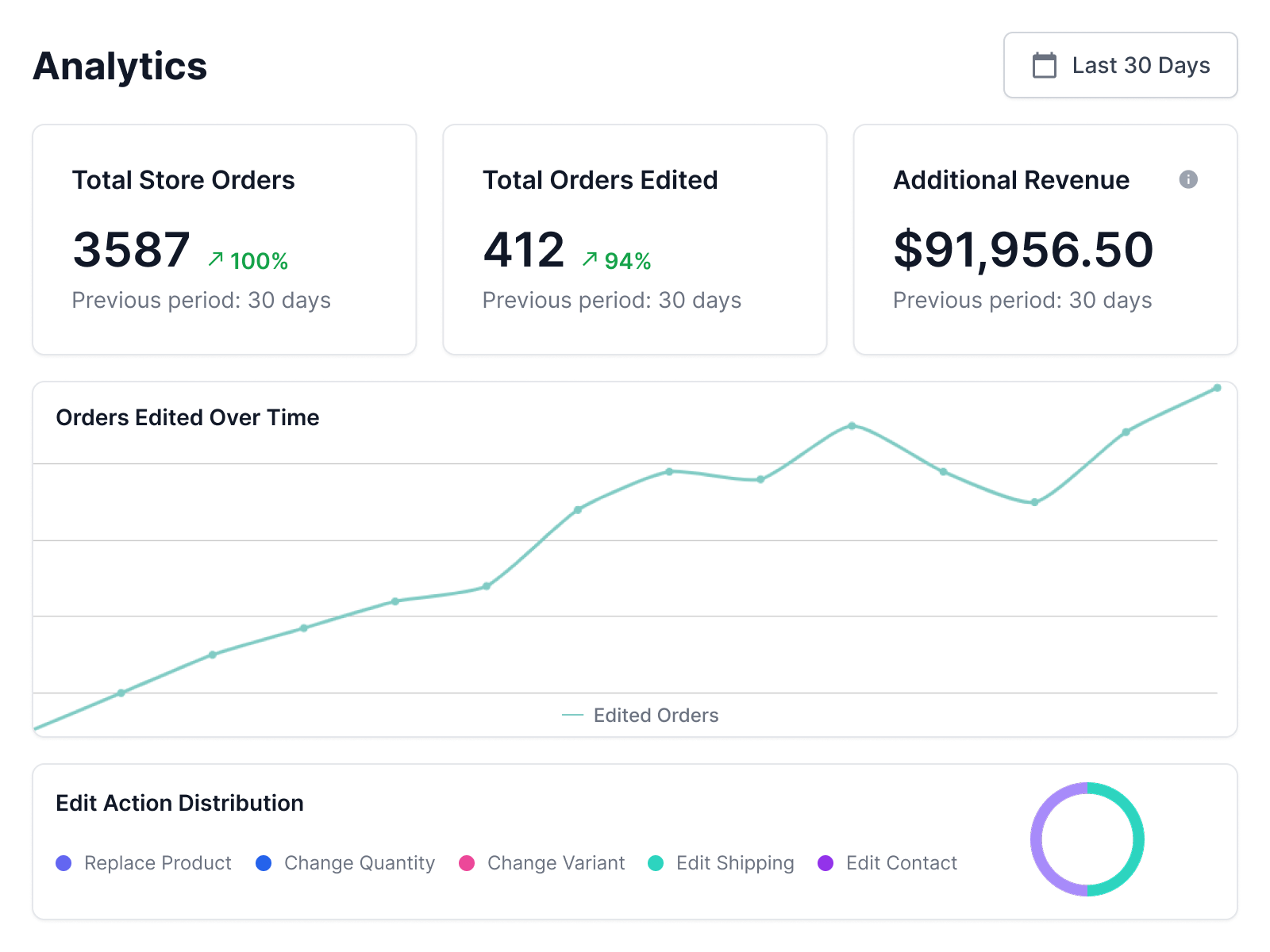
Total Order Edited
Avg. Upsell Revenue
How LEO Order Editing Works After Checkout
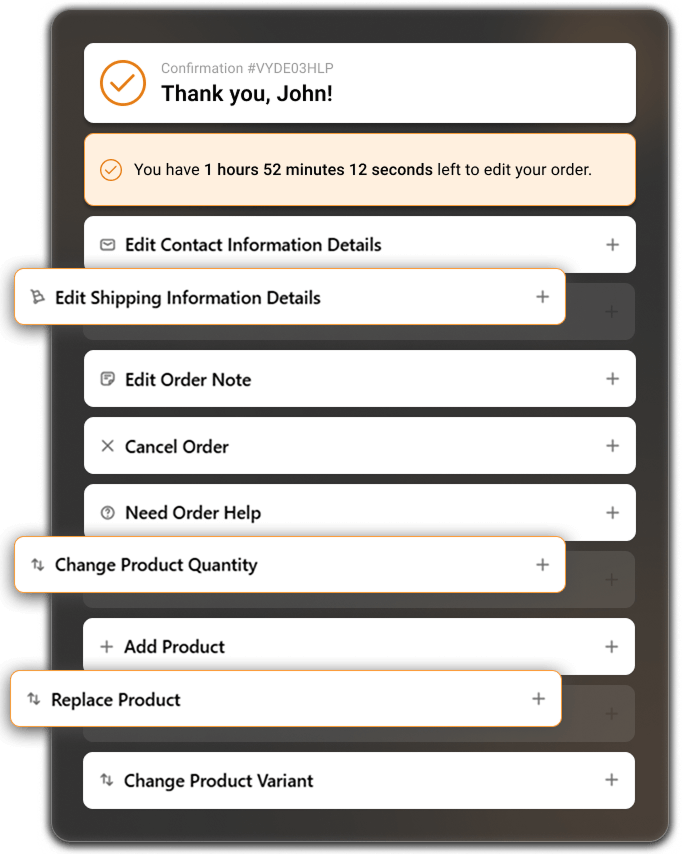
After placing an order, customers can securely edit their order within a set time window, reducing support tickets and order errors.

Store owners remain in full control by setting what can be edited, how long editing is allowed, and how changes are tracked for order management and reporting.
Easy Setup for Shopify Stores
LEO Apps is designed for fast installation and simple configuration, with no coding required.
You can enable order editing and upsells in just a few minutes and start improving the post-purchase experience right away.
Install the App
Install LEO - Order Editing & Upsell from the Shopify App Store and connect it to your eCommerce website in just a few clicks.
Configure Editing Rules
Select what customers can edit after checkout, set the order edit time window, enable post-purchase upsells, and apply automatic order tags.
Publish & Go Live
Save your settings and go live. Customers can edit orders after checkout and see recommended products on the Thank You and Order Status pages.
Store owner controls with simple customer order editing
LEO Apps gives you complete control over what customers can edit after placing an order, while making the experience fast and easy for them.
Shipping Information
Allow customers to update delivery addresses after checkout to ensure accurate delivery.
Change Product Quantity
Customers can easily increase or decrease item quantities without creating a new order.
Add Product
Enable customers to add additional products to their existing order after purchase.
Show All Products
Display your full product catalogue so customers can browse and add more items during order editing.
Change Product Variant
Let customers switch size, color, or style variants quickly and accurately.
Replace Product
Allow customers to replace an ordered product with another item in just one step.
Order Notes
Customers can edit or add special instructions even after checkout is completed.
Cancel Order
Enable self-service order cancellation within a controlled and defined time window.
Contact Information
Allow customers to update their email address or phone number to ensure accurate communication.
Analytics
Track all order edits, upsell performance, and customer activity with clear insights and reports.
Support Tickets
Built-in ticket system to manage order-related requests efficiently from one place.
Order Edit Window
Set a specific time limit for how long customers are allowed to edit their orders after purchase.
Auto-Tag Orders
Automatically tag edited orders with LEO tags or custom tags for easy filtering and workflow management.
Multiple Languages
Support more than 18 languages to deliver a seamless experience for international customers.
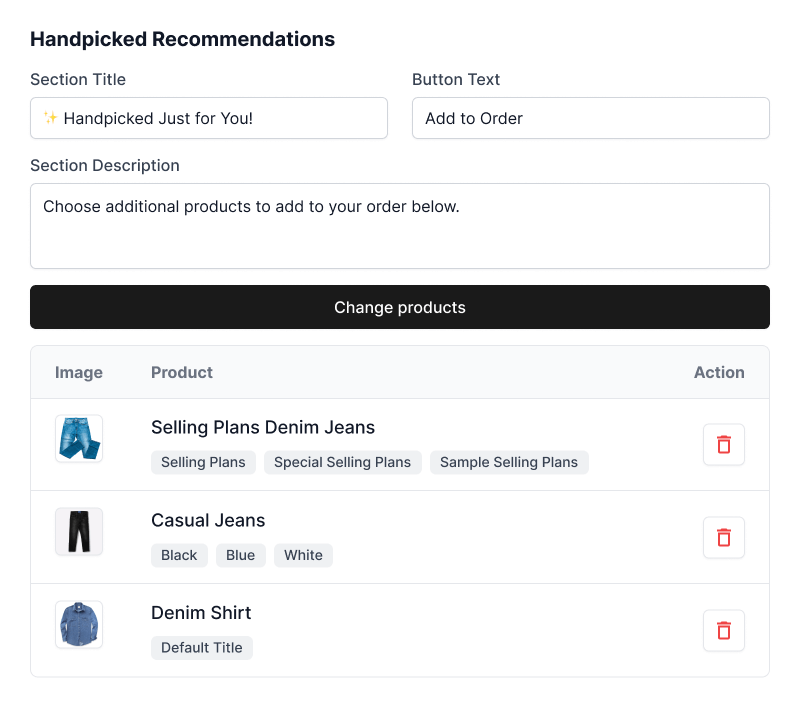
Show relevant products after checkout to increase order value
Display selected products below the order editing window on the Thank You and Order Status pages.
By showing relevant add-ons and complementary items, you give customers an easy way to add more products to their order, helping increase average order value without extra effort.
Grow Revenue With The More Efficient Plan, Matched To Your Success
Boost your Shopify store with Order Editor & Upsell edit orders and increase sales effortlessly.
FREE Forever
- Edit shipping address & contact
- Change product variants & quantity
- Add or edit order notes
- Basic order edit time control
- Multi-language support
- Up to 20 order edits per month
- Thank You & Order Status page support
- Email Support
07 Days
Free TrialGrowth
- All Free features included
- Unlimited order edits
- Add or replace products in order
- Cancel orders with smart control
- AI product recommendations
- Delivery date & COD conversion
- Analytics for edits & revenue
- Priority email support
per month
Have Questions About App? We've Got Answers
"Order changes shouldn’t create confusion or support overload." Below are the most common questions about the LEO Shopify Order Editor app and how it helps merchants simplify post-purchase order management while improving customer experience.
-
What is the Order Editing app?
The Order Editing app allows merchants to give their customers the ability to update order details after purchase. Customers can modify shipping information, update order notes, adjust product quantities, or even request product changes directly from the Thank You page or Order Status page.
-
Which order details can customers edit?
Customers can update contact information, shipping details, and order notes; cancel orders; change product quantities; replace products; add new products; and change product variants. This provides flexible post-purchase order management for both merchants and customers.
-
Can customers edit their order from the Thank You page?
Yes, customers can edit their order directly from the Thank You page immediately after checkout. The app block ensures that customers can request changes without needing to contact support.
-
Can customers also edit orders from the Order Status page?
Absolutely. Customers can revisit their Order Status page and make adjustments, such as updating addresses or changing quantities, until the order is processed.
-
What if a customer has a special request or issue?
The app includes a built-in Support Ticket system. Customers can raise a support ticket to submit queries or special requests, which are sent directly to the merchant for quick resolution.
-
Are there any limits to order editing?
Customers can edit their orders multiple times without any limit. They can update shipping information, change the order note, and freely add, remove, or modify products as needed. This gives customers complete flexibility to manage their orders after purchase.
-
Do merchants have control over which changes are allowed?
Yes, merchants can configure which editing options are available to customers, such as contact or shipping updates, order note changes, and product edits, to suit their business needs.